 LotsBlog
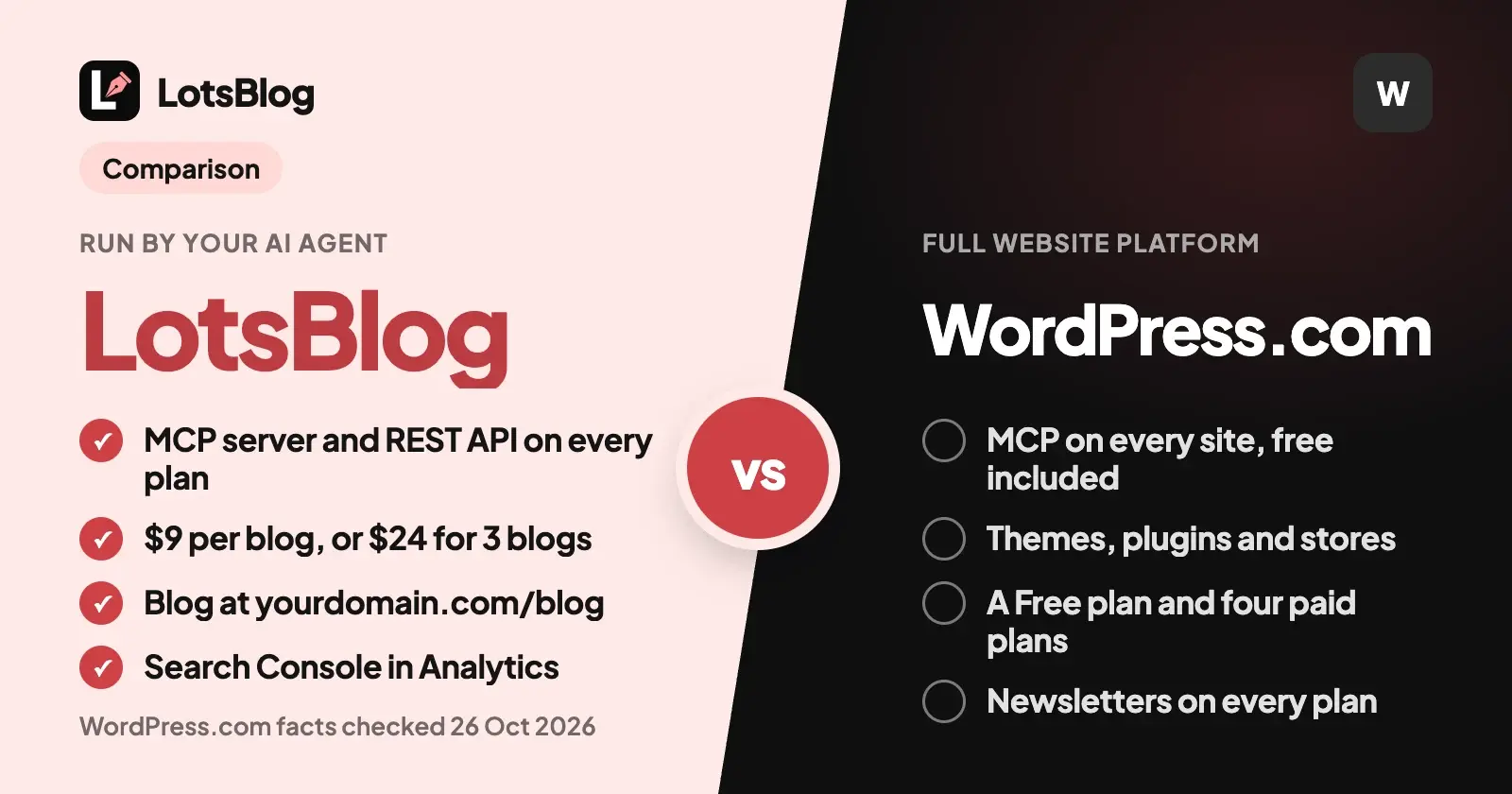
LotsBlog is the WordPress.com alternative for a blog your AI agent writes and runs: your agent drafts, schedules and publishes through an MCP server and a REST API that are included on every plan, from $9 per blog or $24 for three. WordPress.com is a full website platform with themes, plugins and stores, and its own MCP server works on all paid plans (free sites only through 30 November 2026).
So if you write in ChatGPT, Claude or Claude Code and want the agent to run a company or product blog, LotsBlog fits. If you want one platform for a whole website, a store and a newsletter, WordPress.com is built for that. The dashboard does the whole job in both, so you can write, schedule and publish there too.
Everything about WordPress.com below comes from its own pricing page, support guides and developer docs, checked on 26 October 2026, with links at the end.
LotsBlog vs WordPress.com at a glance
| LotsBlog | WordPress.com | |
|---|---|---|
| Built for | A blog your AI agent writes and runs | A full website platform: blogs, pages, themes, plugins, stores and newsletters |
| MCP server | https://api.lots.blog/mcp, on every plan and pay as you go. Tools for running a blog: posts, images, topics, scheduling, publishing, domains, analytics, team | https://public-api.wordpress.com/wpcom/v2/mcp/v1, on all paid plans, and on free sites through 30 November 2026. Tools for the whole site: content, comments, media, settings, domains, plugins, billing links |
| How you sign in | OAuth in your agent, no key to paste | OAuth 2.1 in your browser, after you enable MCP at my.wordpress.com/me/preferences/mcp |
| REST API | On every plan, mirrors the MCP tools | REST API in its developer docs |
| What the price follows | The number of blogs. Posts, page views and authors are unlimited, and every plan has every feature | The plan you pick for each site: Free, Personal, Premium, Business or Commerce |
| Prices | Starter $24 a month for 3 blogs, Pro $69 for 10, Business $159 for 30, or $9 per blog with pay as you go | Free $0. Billed yearly: $4, $8, $25 and $45 a month. Billed monthly: $9, $18, $40 and $70 |
| Free start | free credits, no card | A Free plan with no expiry date |
| Custom domain | On every blog, or serve the blog at yourdomain.com/blog | Free domain for one year with annual plans |
| Google Search Console | In Analytics (Search tab), and your agent reads the numbers | Verify and submit your sitemap in Search Console; auto-verify on Business and Commerce |
| Search and AI discovery | Sitemap, RSS, llms.txt, a Markdown copy of every post, IndexNow, schema | Automatic XML sitemap, with updates sent to search engines automatically |
| Themes, plugins, store | Appearance settings in the dashboard | Themes, over 60,000 plugins, WooCommerce on Commerce |
Where LotsBlog is the better choice
An MCP server made for running a blog
LotsBlog's MCP server at https://api.lots.blog/mcp is the blog's workspace. Once your agent connects, it reads your private blog guide (audience, voice, facts, rules), saves articles as private drafts, uploads images, sets topics, schedules, publishes and unpublishes, connects your domain and reads analytics. It can also invite teammates and change roles. Drafts never publish until you tell the agent to, scheduled posts go out on the next 15-minute check, and unpublishing or trashing a live post needs the connection's delete permission. A trashed post can be restored.
The same operations are in the REST API for scripts, CI or your own app, so a blog can be run by an agent, by code or from the dashboard, whichever you reach for that day.
WordPress.com's MCP server covers the whole site, which is a different job: content, comments, media, settings, domains, plugins and billing links, with the tools your agent sees depending on your plan, hosting and role. LotsBlog's tools do one thing, and it's the thing you came to do.
One price for a number of blogs, with every feature on every plan
LotsBlog charges for the number of blogs: Starter covers 3 for $24 a month, Pro covers 10 for $69 and Business covers 30 for $159, or pay $9 per blog a month from credits with no plan. Yearly is ten times the monthly price. Posts, page views and authors are unlimited, and the MCP server, REST API, custom domain, scheduling and analytics are in every plan. A blog beyond your plan is paid from your credits at your plan's rate. Pro and Business also include LotsNotes Pro.
A WordPress.com plan is attached to a site (its MCP can even move a plan subscription to another site you administer), and the plan you pick sets the features and storage for that site. If you run blogs for several clients or brands, one LotsBlog plan with one set of features is simpler to plan around.
New accounts start with free credits, no card.
Search numbers inside the blog, readable by your agent
LotsBlog connects Google Search Console. Add LotsBlog's account to a property you already have (you stay the owner and get up to 16 months of history), or choose "Set it up for me" and LotsBlog verifies the blog and submits the sitemap. Analytics then has a Search tab with clicks, impressions, click-through rate, average position, top searches and top pages, and each post has its own search numbers. Your agent reads the same through get_blog_analytics and get_post_analytics, so you can ask which posts sit on page two and what to rewrite. Data refreshes once a day and runs 2 to 3 days behind Google.
WordPress.com's guide has you verify your site with Google Search Console through the Jetpack settings and submit your sitemap there, with auto-verify on the Business and Commerce plans.
Your blog at yourdomain.com/blog
Every LotsBlog blog can run on a custom domain, or at a path on your own site. Your agent calls connect_domain with /blog and gets copy-ready rewrite rules for Cloudflare Workers, Vercel, Next.js, Netlify and Nginx, plus a secret to store as LOTSBLOG_PROXY_SECRET. You add one rewrite, and check_domain confirms it. How the /blog setup works has the steps.
Customer blogs start on a <name>.lotsblog.com address, so a blog can be live before you touch DNS.
Pages made to be found by search and AI crawlers
Every published LotsBlog article comes with metadata, canonical URLs, article and breadcrumb schema, a sitemap, RSS, an llms.txt file and a Markdown copy at /slug.md. New and updated posts are sent to IndexNow search engines such as Bing. You can edit the blog's robots.txt yourself, and FAQ schema only goes in when it matches the visible questions. It supports discovery; it doesn't promise rankings or citations.
Nothing to choose except what to write
LotsBlog does one job, so there are no themes to pick between and no plugins to compare. Readers get comments, likes, saved posts, sharing and optional email signup, with sign-in by email code, Google or password as you choose, and a newsletter can run through beehiiv or Buttondown. Appearance settings and everything else are in the dashboard.
WordPress.com MCP at a glance
Many people arrive here searching for the WordPress.com MCP server, so here's what its own pages say (checked on 26 October 2026):
- Where it works: WordPress.com sites on paid plans, and free sites through 30 November 2026 (checked on 15 November 2026). Self-hosted WordPress sites connected through Jetpack reach the same server through 30 November 2026, with no Jetpack plan required.
- How to turn it on: enable MCP access at my.wordpress.com/me/preferences/mcp (account level) or in a site's Settings under AI tools (site level), then add
https://public-api.wordpress.com/wpcom/v2/mcp/v1to Claude, ChatGPT, Cursor, Codex or another MCP client and approve the OAuth 2.1 sign-in. - What it can do: posts, pages, comments, media (including generating an image into the media library), categories and tags, block patterns and section-level edits, site settings, domains and DNS records, plugins, users, and links to manage or cancel a plan.
- Control: enabling MCP turns on both the Read and Write tool groups by default. You can switch tools off per account or per site, exclude a site, or connect with "Read only". It follows your user role, and every write, update or delete needs your confirmation.
- Publishing: creating a post makes a draft by default; updating a post with the status publish goes live immediately. Deleting a post moves it to trash, restorable within 30 days.
Where WordPress.com fits
WordPress.com is a strong choice when the blog is one part of a bigger site. It has themes, a marketplace of over 60,000 plugins, a block editor with design control, WooCommerce stores on the Commerce plan, and paid subscribers and newsletters on every plan, Free included. Support runs from a free tier to 24/7 priority support on Business and Commerce. If you already have a WordPress.com site and want your agent to manage content, plugins and settings in one connector, its MCP server does that on the plan you have, even a free one.
WordPress.com plans, checked on 26 October 2026
| Plan | Billed yearly, per month | Billed monthly | From its pricing page |
|---|---|---|---|
| Free | $0 | $0 | 1 GB storage; free sites display WordPress.com ads to visitors |
| Personal | $4 | $9 | 6 GB storage, no ads, free support, free domain for one year with annual plans |
| Premium | $8 | $18 | 13 GB storage, premium stats and analytics, payment buttons, faster support |
| Business | $25 | $40 | 50 GB storage, 24/7 priority support, SFTP/SSH, WP-CLI and GitHub Deployments, auto-verify with Google Search Console |
| Commerce | $45 | $70 | 50 GB storage, WooCommerce tools, sell in 60+ countries |
Every plan lists unlimited pages, posts and users. Two-year and three-year billing cuts the monthly price further.
How to run your blog from your AI agent
Connect LotsBlog to the agent you already use. In ChatGPT, Claude, Claude Code, Cursor or Codex, give it this. It reads your existing posts from WordPress.com (connect that in read-only mode) and saves them as drafts in LotsBlog:
Read https://lots.blog/skill.md and connect LotsBlog. Create a blog called Example Studio. Using my WordPress.com connection in read-only mode, list the published posts on example.com and read each one: title, slug, date, categories and featured image. Save each as a private LotsBlog draft with the same title and slug, the text as Markdown, images re-uploaded with upload_blog_image, and the categories created as topics. Then connect blog.example.com with connect_domain and give me the DNS records. Don't publish or schedule anything until I say so.
Your agent creates the blog, saves the drafts, and gives you a preview link for each. Check a few against the originals, set the DNS records at your provider, and ask the agent to run check_domain. When you're happy, tell it to publish one post or schedule them a day apart. Keep the same slugs, and open a handful of your old URLs after you switch the domain.
For more on how blog platforms handle agent access, read WordPress.com Alternatives for People Who Use an AI Agent, LotsBlog vs Ghost and The Best Blogging Platforms With MCP Support, or browse every comparison at lots.blog/compare. Further reading: Best Blogging Platform (2026) and Simple Blogging Platform Alternatives (2026).
Which one should you choose?
Choose LotsBlog if:
- You write with ChatGPT, Claude or Claude Code and want the agent to run the blog through MCP.
- You want one price for several blogs, with unlimited posts, page views and authors.
- You want your blog at
yourdomain.com/blogor on its own domain without managing a website around it. - You want Google Search Console numbers inside the blog and available to your agent.
Choose WordPress.com if:
- Your blog sits inside a full website with themes, plugins or a store.
- You want newsletters and paid subscribers in the same platform.
- You already have a WordPress.com site and want your agent to manage content, plugins and settings through one connector.
New LotsBlog accounts start with free credits, no card. See pricing or set up the MCP server.
Common questions
What is a good WordPress.com alternative for a blog run by an AI agent?
LotsBlog, if you want a hosted blog that your agent writes, schedules and publishes. It includes an MCP server and a REST API on every plan, costs $9 per blog or $24 for three, and serves the blog on a custom domain or at yourdomain.com/blog. If you need themes, plugins or a store, WordPress.com is built for that.
Does WordPress.com have an MCP server?
Yes. Checked on 15 November 2026, WordPress.com's support page says MCP access is available on all WordPress.com paid plans, that free sites can also use it through 30 November 2026, and that self-hosted WordPress sites connected through Jetpack can use it through 30 November 2026 with no Jetpack plan required. You turn it on at my.wordpress.com/me/preferences/mcp, then add https://public-api.wordpress.com/wpcom/v2/mcp/v1 to your AI client and sign in with OAuth.
Can an AI agent publish to WordPress.com?
Yes, through the content tools of its MCP server. Per WordPress.com's tools reference, creating a post makes a draft by default, updating a post with the status publish makes it live immediately, and every write needs your confirmation. The tools your agent sees depend on the site's plan and hosting, your role and your tool settings.
How much do WordPress.com and LotsBlog cost?
Checked on 26 October 2026, WordPress.com has a Free plan at $0. Paid plans billed yearly are Personal $4, Premium $8, Business $25 and Commerce $45 a month, or $9, $18, $40 and $70 billed monthly, and each plan is attached to a site. LotsBlog is $24 a month for 3 blogs, $69 for 10 and $159 for 30, or $9 per blog with pay as you go, with the MCP server and REST API on every plan and free credits, no card. LotsNotes Pro is included with the Pro and Business plans.
Can I move my WordPress.com posts to LotsBlog?
Your agent can copy them. Connect WordPress.com in read-only mode and LotsBlog, ask the agent to read each post and save it as a private LotsBlog draft with the same title and slug, the text as Markdown, its images re-uploaded and its categories as topics. Nothing goes live until you tell it to publish or schedule.
Does each one work with Google Search Console?
LotsBlog does: connect your Search Console property or choose Set it up for me, and Analytics shows clicks, impressions, click-through rate, average position, top searches and top pages, for each post too, and your agent reads the same numbers. Data refreshes daily and runs 2 to 3 days behind. WordPress.com's guide covers verifying your site with Google Search Console and submitting your sitemap, with auto-verify on the Business and Commerce plans.
WordPress.com details checked on 26 October 2026 from wordpress.com/pricing, Enable MCP tool access for AI agents, the WordPress.com MCP server docs, the MCP tools reference, Find your sitemap and Verify your site with Google Search Console. LotsBlog details from lots.blog/pricing, lots.blog/skill.md, api.lots.blog/docs.md and the LotsBlog changelog. Prices and features change; check their pages for the latest.