 LotsBlog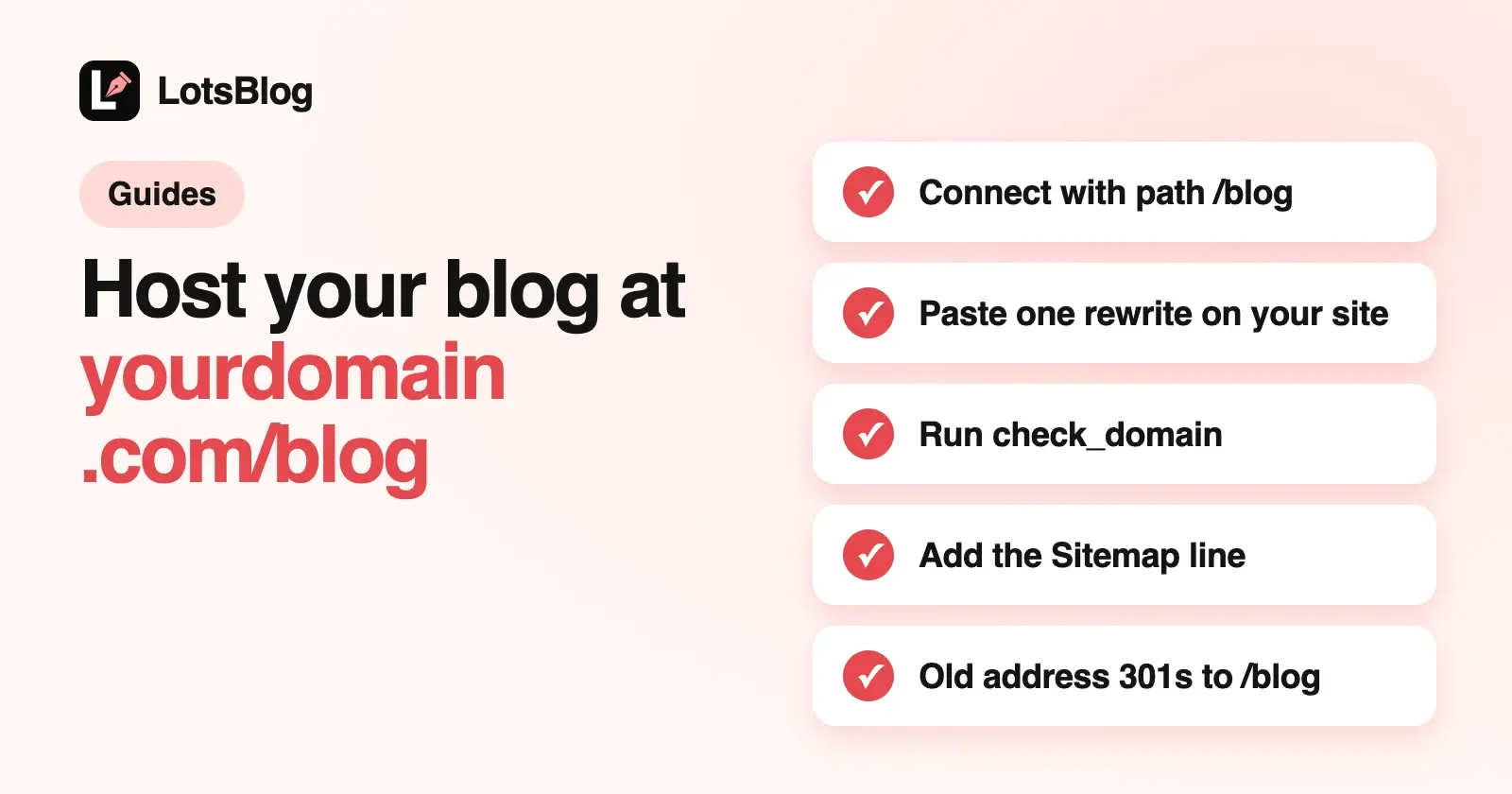
Yes, LotsBlog can serve your blog at yourdomain.com/blog. You connect the blog with your domain and the path /blog, paste one rewrite rule into your site (LotsBlog gives you copy-ready rules for Cloudflare Workers, Vercel, Next.js, Netlify and Nginx), and run the check. Once the check passes, canonical URLs, the sitemap, RSS and llms.txt all use yourdomain.com/blog, and the blog's old address redirects there with a 301.
Your AI agent can do the LotsBlog side with two tools, connect_domain and check_domain, and the dashboard does the same job with a form and a Check again button. The one thing neither touches is your own site: you add the rewrite, so nothing changes on your domain without you.
Everything below comes from the LotsBlog code and API docs, and from two of our own product blogs that already run this way, lotscrm.com/blog and lots.link/blog, which I checked on 12 October 2026.
Subdomain or /blog: which one?
LotsBlog supports both, so pick by how your site is run:
blog.yourdomain.com(a custom domain). You add a CNAME record at your DNS provider and the blog runs on its own. Your marketing site and your blog never touch each other's config. This is the simpler setup.yourdomain.com/blog(a path). The blog shares a hostname with your marketing site, so readers and crawlers see one site. It costs you one rewrite in your site's config, and that rewrite has to stay in place for the blog to load.
Neither choice is a ranking promise. Both get the same canonical URLs, sitemap, RSS, structured data and llms.txt from LotsBlog. Teams usually pick /blog because they want one hostname in analytics, cookies and navigation, and a subdomain because they don't want blog changes anywhere near the main site's deploys.
What you need
- A LotsBlog blog you own. Connecting an address is owner-only; editors and authors can't do it.
- An active plan or credits. New accounts get 10,000 free credits, valid 90 days, with no card. After that it's $9 per blog a month from credits, or plans from $24 a month for 3 blogs. Posts, page views and authors are unlimited. Details in LotsBlog pricing explained.
- Access to your site's config: your Cloudflare zone, your Vercel or Netlify project,
next.config.jsor Nginx server block. - A valid path. Lowercase letters, numbers,
-and_, up to three segments, so/blog,/resources/blogand/en/news/blogall work. It can't start with/apior/_next, which belong to your app and to Next.js.
Use the hostname your site actually serves. If your marketing site lives at www.yourdomain.com, connect www.yourdomain.com, so the canonical URLs point at the address readers end up on.
How it works
Your blog keeps running on its LotsBlog address, https://YOUR-BLOG.lots.blog. Your site forwards every request under /blog there, with /blog removed from the path, and adds a private proxy secret so LotsBlog knows the request came through your rewrite:
- A reader opens
https://yourdomain.com/blog/my-post. - Your rewrite forwards it to
https://YOUR-BLOG.lots.blog/my-postwith the secret, either as theX-LotsBlog-Proxy-Secretheader or, in the Next.js rewrite, which can't add headers, in the path as/_proxy/YOUR_PROXY_SECRET/my-post. - LotsBlog checks the secret for that blog and renders the page with
https://yourdomain.com/blogas its address. Links get the/blogprefix; scripts, styles and fonts load from the LotsBlog host.
The secret starts with lbp_ and is tied to your blog, your hostname and your path. Change the domain or the path and you get a new secret. None of the rules contain it: each one reads it from a Worker secret or an environment variable named LOTSBLOG_PROXY_SECRET (Nginx: a small include file kept outside your repository), so the rule itself is safe to commit.
Set it up from your AI agent
If your agent already has the LotsBlog MCP server (https://api.lots.blog/mcp), ask it in plain words:
Use LotsBlog. Connect my "Acme" blog to acme.com at the path /blog. Show me the rewrite rule for Cloudflare Workers, then wait while I add it. When I say done, check it.
The agent calls connect_domain with three fields:
{
  "blog_id": "YOUR_BLOG_ID",
  "domain": "acme.com",
  "path": "/blog"
}
domain is the hostname only, with no https:// and no path. The reply holds everything you need: the proxy target (https://YOUR-BLOG.lots.blog), the private proxy secret, the name to store it under (proxy.secret_name, which is LOTSBLOG_PROXY_SECRET) with a secret_note on handling it, the header name, the check URL, the Sitemap line for your root robots.txt, and copy-ready rules for all five hosts. Each rule has a secret_storage line that says where the secret goes on that host. connect_domain runs a check straight away, in case your rewrite is already there; otherwise the status is "Waiting for your rewrite".
Add the rule on your site and deploy it, then tell the agent to check. It calls check_domain with just the blog_id. LotsBlog fetches https://acme.com/blog/__lotsblog/subdirectory-check through your rewrite and confirms it reached the right blog with the right secret. When it passes, the reply says the blog is live at https://acme.com/blog/.
Later, the agent can see where things stand with get_blog. Its subdirectory field shows the host, path, url, status (pending or verified), when it was verified and last checked, the last error and the next step. It never includes the secret. To stop serving the blog at the path, tell the agent to remove it: it calls remove_subdirectory with the blog_id and confirm: true, which only the blog's owner can do. Canonical URLs, the sitemap and RSS go back to your custom domain or *.lots.blog address, and you delete the rewrite from your site.
None of these tools changes your DNS or your site. If you prefer code to chat, the same operations are REST endpoints: POST /api/v1/lotsblog/blogs/:blog_id/domain with domain and path, POST /api/v1/lotsblog/blogs/:blog_id/domain/check, and DELETE /api/v1/lotsblog/blogs/:blog_id/domain/subdirectory?confirm=true to remove it, documented at api.lots.blog/docs.md. New to the MCP server? Start with How to Publish Blog Posts From Claude Code.
Set it up from the dashboard
- Open your blog in the LotsBlog dashboard, go to Settings, then Custom Domain.
- Under Host at a path on your site, type your site (
acme.com) and the path (/blog), then press Connect. - The card shows the address with a Waiting for your rewrite badge, the proxy secret with a copy button and a note on where to store it, the Sitemap line for your robots.txt, and a tab for each host: Cloudflare Workers, Vercel, Next.js, Netlify and Nginx. Each tab says where the rule goes and has its own copy button.
- Add the rule to your site and deploy it.
- Press Check again. When the rewrite works, the badge turns to Live.
Remove on the same card disconnects the path. Readers go back to the old address, and you can delete the rewrite from your site.
The rewrite rules, host by host
These are the rules LotsBlog generates, with placeholders: acme.com for your site and YOUR-BLOG for your blog's LotsBlog subdomain. Copy the real ones from your agent's reply or the dashboard, where every value is already filled in. The secret is never in them.
Keep the proxy secret private. Treat it like a password: store it only where the rule for your host reads it, never in code or a committed file. Anyone holding it can serve your blog through their own site, though LotsBlog also checks the forwarded hostname when the proxy sends one.
Cloudflare Workers
Create a Worker, add the routes acme.com/blog and acme.com/blog/* in your acme.com zone, and store the proxy secret as the Worker secret LOTSBLOG_PROXY_SECRET: run npx wrangler secret put LOTSBLOG_PROXY_SECRET and paste it, or add it under the Worker's Settings, Variables and Secrets with type Secret. The Worker forwards the request with the secret as a header:
// The proxy secret is the Worker secret LOTSBLOG_PROXY_SECRET, never in this file.
export default {
  async fetch(request, env) {
    const url = new URL(request.url);
    const rest = url.pathname.slice("/blog".length) || "/";
    const upstream = new URL(rest + url.search, "https://YOUR-BLOG.lots.blog");
    const headers = new Headers(request.headers);
    headers.delete("host");
    headers.set("X-LotsBlog-Proxy-Secret", env.LOTSBLOG_PROXY_SECRET);
    headers.set("X-Forwarded-Host", url.hostname);
    const hasBody = request.method !== "GET" && request.method !== "HEAD";
    return fetch(upstream, { method: request.method, headers, body: hasBody ? await request.arrayBuffer() : undefined, redirect: "manual" });
  },
};
This is the setup lotscrm.com and lots.link use: both sites already run on Cloudflare Workers, so the blog proxy is a few lines at the top of the existing Worker, with the secret stored as a Worker secret.
Vercel (Routing Middleware, any framework)
Save this as middleware.js at the root of the project that serves your main site. Add the environment variable LOTSBLOG_PROXY_SECRET with the proxy secret under Project Settings, Environment Variables for Production, then redeploy. For a Next.js app, use the Next.js rule below instead.
// middleware.js: the proxy secret is the environment variable LOTSBLOG_PROXY_SECRET, never in this file.
export const config = { matcher: ["/blog", "/blog/:path*"] };

export default async function middleware(request) {
  const url = new URL(request.url);
  const rest = url.pathname.slice("/blog".length) || "/";
  const upstream = new URL(rest + url.search, "https://YOUR-BLOG.lots.blog");
  const headers = new Headers(request.headers);
  headers.delete("host");
  headers.set("X-LotsBlog-Proxy-Secret", process.env.LOTSBLOG_PROXY_SECRET);
  headers.set("X-Forwarded-Host", url.hostname);
  const hasBody = request.method !== "GET" && request.method !== "HEAD";
  return fetch(upstream, { method: request.method, headers, body: hasBody ? await request.arrayBuffer() : undefined, redirect: "manual" });
}
Next.js (next.config.js rewrites)
Add this to next.config.js (or .ts) of your main site. Set the environment variable LOTSBLOG_PROXY_SECRET to the proxy secret where your site builds and runs (on Vercel: Project Settings, Environment Variables), not in a committed .env file, then redeploy, because rewrites are read at build time. It works on Vercel and on self-hosted Next.js:
// The proxy secret is the environment variable LOTSBLOG_PROXY_SECRET, never in this file.
async rewrites() {
  const target = "https://YOUR-BLOG.lots.blog" + "/_proxy/" + process.env.LOTSBLOG_PROXY_SECRET;
  return {
    beforeFiles: [
      { source: "/blog", destination: target + "/" },
      { source: "/blog/:path*", destination: target + "/:path*" },
    ],
  };
},
beforeFiles makes the rewrite win over any /blog page in your own app.
Netlify (Edge Function)
Save this as netlify/edge-functions/lotsblog.js in your main site's repository. Add the environment variable LOTSBLOG_PROXY_SECRET with the proxy secret under Site configuration, Environment variables (scope: Functions), then redeploy:
// The proxy secret is the environment variable LOTSBLOG_PROXY_SECRET, never in this file.
export const config = { path: ["/blog", "/blog/*"] };

export default async function lotsblog(request) {
  const url = new URL(request.url);
  const rest = url.pathname.slice("/blog".length) || "/";
  const upstream = new URL(rest + url.search, "https://YOUR-BLOG.lots.blog");
  const headers = new Headers(request.headers);
  headers.delete("host");
  headers.set("X-LotsBlog-Proxy-Secret", Netlify.env.get("LOTSBLOG_PROXY_SECRET"));
  headers.set("X-Forwarded-Host", url.hostname);
  const hasBody = request.method !== "GET" && request.method !== "HEAD";
  return fetch(upstream, { method: request.method, headers, body: hasBody ? await request.arrayBuffer() : undefined, redirect: "manual" });
}
Nginx
Add this inside the server block for acme.com:
location = /blog { return 301 /blog/; }
location /blog/ {
    proxy_pass https://YOUR-BLOG.lots.blog/;
    proxy_ssl_server_name on;
    proxy_set_header Host YOUR-BLOG.lots.blog;
    proxy_set_header X-Forwarded-Host $host;
    proxy_set_header X-Forwarded-Proto $scheme;
    # The X-LotsBlog-Proxy-Secret header line lives in this file, never here.
    include /etc/nginx/lotsblog-proxy-secret.conf;
    proxy_redirect off;
}
Then create /etc/nginx/lotsblog-proxy-secret.conf, outside any repository and readable only by root and Nginx, with one line: proxy_set_header X-LotsBlog-Proxy-Secret "YOUR_PROXY_SECRET"; using your real secret. Run nginx -t and reload Nginx.
Another host?
Any host that can reverse proxy works. Forward acme.com/blog/* to https://YOUR-BLOG.lots.blog with /blog removed from the path, and send the secret in the X-LotsBlog-Proxy-Secret header, or use https://YOUR-BLOG.lots.blog/_proxy/YOUR_PROXY_SECRET as the target if the host can't add headers.
What changes once it's live
When the check passes, yourdomain.com/blog becomes the blog's address everywhere LotsBlog prints one. Here's what I saw on lotscrm.com/blog on 12 October 2026:
| What | Where LotsBlog points it | Seen on lotscrm.com/blog |
|---|---|---|
| Canonical URL | yourdomain.com/blog/... | <link rel="canonical" href="https://lotscrm.com/blog/"/> |
| Sitemap | yourdomain.com/blog/sitemap.xml, with URLs under /blog | <loc>https://lotscrm.com/blog/</loc> |
| RSS | yourdomain.com/blog/rss.xml | Feed self link https://lotscrm.com/blog/rss.xml |
| llms.txt | yourdomain.com/blog/llms.txt | "Public articles from https://lotscrm.com/blog", with RSS and sitemap links under /blog |
| Markdown copies | Under /blog, like the articles | |
| Old address | 301 to /blog | lotscrm.lots.blog/ 301s to https://lotscrm.com/blog/, and /rss.xml to /blog/rss.xml |
lots.link/blog showed the same pattern: canonical https://lots.link/blog/, sitemap and llms.txt under /blog, and lotslink.lots.blog redirecting to https://lots.link/blog/.
The 301 from your old address
Your *.lots.blog address, and your custom domain if you had one, now send readers to the same page under /blog with a permanent 301, keeping the path and query. Old links and old search results land on the new address. Your dashboard, sign-in and draft previews stay on the LotsBlog host, so nothing in your workflow moves.
A blog that went live stays live if a later check fails, for example during a deploy on your site. The address doesn't flip back and forth; the check reports the error so you can fix the rewrite.
robots.txt: add lines to your root file
Search engines read robots.txt only at the root of a domain, https://yourdomain.com/robots.txt, never at https://yourdomain.com/blog/robots.txt. So the blog's crawl rules have to go into your site's own root file. At minimum, add the Sitemap line:
Sitemap: https://yourdomain.com/blog/sitemap.xml
LotsBlog prepares the rest for you. The blog's rules are written for its own paths, and copied as they are, Disallow: /api/ would block your app's /api/, not the blog's. For a blog at a path, get_blog returns robots_txt.root_lines: the same rules with every path starting with /blog, plus the Sitemap line. On the LotsCRM blog, get_blog returned these through the MCP today:
# Blog at https://lotscrm.com/blog
User-agent: *
Allow: /blog/
Disallow: /blog/api/
Disallow: /blog/dashboard/
Disallow: /blog/auth/
Disallow: /blog/setup/

# Add sitemap link
Sitemap: https://lotscrm.com/blog/sitemap.xml
lotscrm.com's root robots.txt carries the /blog/ Disallow lines and the blog's Sitemap line next to its own rules. The same prefixed lines are also in the dashboard under Settings, General, Robots.txt Configuration, and https://yourdomain.com/blog/robots.txt serves them under a comment explaining that crawlers don't read that file. To change the blog's own rules, your agent uses update_blog with robots_txt; the root lines follow. More on which AI crawlers to allow in How to Let AI Crawlers Read Your Blog.
Troubleshooting: what check_domain tells you
check_domain and the dashboard's Check again return a plain message. These are the messages in the LotsBlog code and what to do about each.
| Message | What it means | Fix |
|---|---|---|
| "...did not reach LotsBlog (HTTP 404). Add the rewrite for /blog on acme.com, deploy it, then check again." | The check URL answered, but not from LotsBlog. The rule isn't deployed, or your app answered /blog first | Deploy the rule. On Next.js keep it in beforeFiles. On Cloudflare, add both routes, /blog and /blog/* |
| "...reached a different LotsBlog blog. Point the rewrite at this blog's address." | The rule forwards to another blog's *.lots.blog host | Copy the target from this blog's setup again |
| "The rewrite reached LotsBlog without the proxy secret. Add the X-LotsBlog-Proxy-Secret header or use the /_proxy/ target." | The rewrite works but the secret is missing | Check that LOTSBLOG_PROXY_SECRET is set where your rule reads it (Worker secret, Vercel or Netlify environment variable, Next.js environment variable at build time, or the Nginx include file), then redeploy |
| "The proxy secret or forwarded host does not match. Copy the secret again; it changes when the domain or path changes." | Wrong or old secret, or X-Forwarded-Host isn't the domain you connected | Copy the current secret. Connect the hostname your site really serves (www. and the bare domain count as the same) |
| "Could not reach https://acme.com/blog/__lotsblog/subdirectory-check: ..." | No answer at all: DNS, TLS or a timeout | Open the URL yourself and fix what your site returns |
| "Still live at https://acme.com/blog/, but the latest check failed: ..." | The address stays live, but the rewrite broke | Fix the rewrite; readers who reach the blog through it are affected |
You can run the same test yourself. Open https://yourdomain.com/blog/__lotsblog/subdirectory-check. Through a working rewrite it returns JSON like {"ok":true,"blog_id":"...","proxied":true,"verified":true}. proxied: false means the secret didn't arrive; ok: false with proxied: true means it arrived but doesn't match. A rewrite that sends a wrong secret gets a plain 403 from LotsBlog, never a redirect loop.
connect_domain can also refuse up front:
- "domain must be your own site hostname...": send the hostname only, such as
acme.com, not a URL and not alots.blogaddress. - "path must be a path on your site such as /blog...": the path broke the rules in "What you need".
- "This blog is already live at ... Remove it in the dashboard before connecting another subdirectory.": one address at a time; remove the live one first, in the dashboard or with
remove_subdirectory. - "This domain and path are already connected to another blog" or "This domain is connected to another LotsBlog blog": another blog holds that address.
- "A plan or enough credits is required. Open https://lots.blog/billing to choose.": the blog needs an active plan or credits.
Start from your agent
Give your agent this and let it set itself up:
Read https://lots.blog/skill.md and help me connect LotsBlog for you.
Then ask it to connect your blog at /blog. Weighing hosted blog platforms first? See the best blogging platforms for SaaS startups with a custom domain, and LotsBlog pricing.
Common questions
Can LotsBlog host my blog at yourdomain.com/blog?
Yes. Connect the blog with your domain and a path such as /blog, add one rewrite rule to your site, and run the check. LotsBlog gives you copy-ready rules for Cloudflare Workers, Vercel, Next.js, Netlify and Nginx, and any host that can reverse proxy works.
Do I need to change DNS records?
No. A blog at a path runs through a rewrite on your existing site, so your DNS stays as it is. DNS records (a CNAME) are only for a custom domain such as blog.yourdomain.com.
Can my AI agent set it up?
Your agent does the LotsBlog side: connect_domain with your domain and path returns the rules and the secret, and check_domain verifies the rewrite. You add the rule to your site. LotsBlog never changes your DNS or your site.
Is it safe to commit the proxy secret?
You never need to. None of the rules contain the secret: Cloudflare Workers, Vercel, Next.js and Netlify read it from a Worker secret or environment variable named LOTSBLOG_PROXY_SECRET, and Nginx from an include file kept outside your repository. Commit the rule, and keep the secret itself out of code and committed files.
What happens to my old blog address?
Once the check passes, your *.lots.blog address and any custom domain redirect with a 301 to the same page under /blog. Canonical URLs, the sitemap, RSS and llms.txt switch to the new address.
Why doesn't my /blog/robots.txt count?
Search engines read robots.txt only at the root of your domain. Add the blog's Sitemap line, and the prefixed rules from get_blog robots_txt.root_lines or the dashboard, to yourdomain.com/robots.txt.
Can I use a path other than /blog?
Yes: lowercase letters, numbers, - and _, up to three segments, such as /resources/blog. It can't start with /api or /_next.
Who can connect a path, and does it cost extra?
Only the blog's owner. It needs an active plan or credits, and there's no separate charge for the path: it's part of the blog, at $9 per blog a month or a plan from $24 for 3 blogs.
LotsBlog details checked on 12 October 2026 (setup rules, get_blog and remove_subdirectory updated 13 October 2026) from api.lots.blog/docs.md ("Blogs served at a path on your site"), the LotsBlog dashboard and engine code, get_blog through the LotsBlog MCP server, and the live blogs at lotscrm.com/blog and lots.link/blog. Prices from lots.blog/pricing, read the same day.