 LotsBlog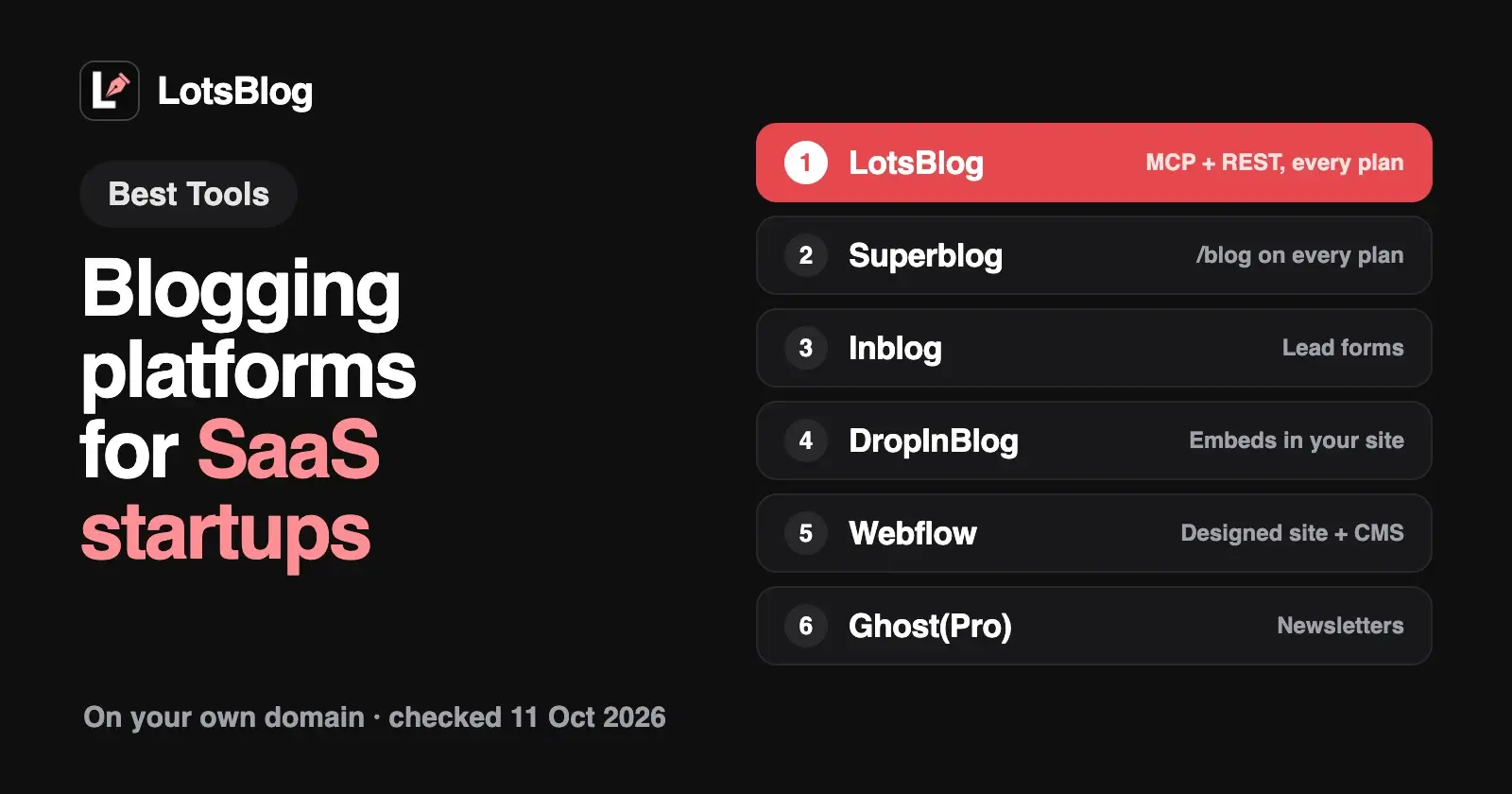
If you run a SaaS startup and want the company blog at blog.yourdomain.com or yourdomain.com/blog, written and published by the AI agent you already use, LotsBlog is built for that setup: a custom domain or a /blog path, the MCP server and a REST API on every plan, from $9 per blog, with unlimited posts, page views and authors. Superblog, Inblog, Feather and DropInBlog also support /blog, and Webflow or Framer keep the blog inside a site built there. For newsletters choose Ghost(Pro), for the WordPress ecosystem WordPress.com, and for a developer audience Hashnode.
This list compares ten platforms on what matters for a startup's company blog on its own domain: which plan unlocks the custom domain, subdomain or subdirectory, how the price grows, which SEO basics ship, whether an agent can publish, and how many people can write. Everything about each vendor comes from its own pages, opened on 11 October 2026, with links at the end.
The best blogging platforms for SaaS startups at a glance
| Platform | Custom domain | yourdomain.com/blog | Price model and entry | Agent access | Team |
|---|---|---|---|---|---|
| LotsBlog | Every blog, every plan (CNAME) | Every plan: one rewrite on your site, with rules for Cloudflare Workers, Vercel, Next.js, Netlify and Nginx | Per blog: $9 a month, or $24 for 3 blogs | MCP server and REST API on every plan | Unlimited authors, team collaboration on every plan |
| Superblog | Every plan | Every plan | Per blog: $49, $99 or $199 a month, under 100,000 page views | MCP: its docs say the Super plan ($99) | 5, 10 or 25 team members |
| Inblog | Team plan, not Free | Team plan | Per blog, by page views: Team from $39 a month | MCP connector on Team or higher | Team members on Team |
| Feather | Every paid plan | Yes, documented in its help center | By page views, with unlimited blog sites | Posts are written in Notion | Multiple authors per post |
| DropInBlog | Runs inside your own site | Yes: it embeds in your site | Team $199 a month, or $159 a month billed yearly | MCP server and API on every plan | 5 users, 15 authors on Team |
| Ghost(Pro) | Every plan (CNAME) | $50 a month add-on on Business, with your own reverse proxy | Per site, by members: Starter $18 a month billed yearly | Admin API from Publisher ($29) | 1, 3 or 15 staff users |
| Webflow | From Basic | Inside your Webflow site | Per site: CMS from Premium, $25 a month billed yearly | MCP server works with the CMS | 1 seat included; content-editing seats $15 a month billed yearly |
| WordPress.com | Any paid plan | Not a separate blog product | Per site: Personal $9 a month, or $4 billed yearly | MCP server on all paid plans | Unlimited users |
| Hashnode | Pro | Through headless mode and your own frontend | Per seat: Pro $5 a month | MCP server on Pro | Billed per member |
| Framer | From Basic | Inside your Framer site | Per site: Basic $10 a month on yearly billing | External agents read and write the CMS (preview) | Extra editors $20 a month |
Subdomain or subdirectory: decide this first
A SaaS company blog usually sits in one of two places:
- A subdomain,
blog.yourdomain.com. You add one CNAME record at your DNS provider and the blog runs on its own platform. Your marketing site and your blog stay separate, so either can change without touching the other. Every platform here can serve the blog on your own domain on at least one plan. - A subdirectory,
yourdomain.com/blog. The blog shares a hostname with your marketing site. That needs either a platform that serves the blog through your site (DropInBlog, Webflow, Framer, Hashnode headless), or one that supports a rewrite or reverse proxy from your site to its servers (LotsBlog, Superblog, Inblog, Feather, Ghost's Business add-on).
A subdomain is the simpler setup. A subdirectory keeps everything on one hostname, at the cost of a rewrite or an embed. If you've already decided on /blog, start with the platforms that list it, and check which plan includes it. LotsBlog does both, and if you move a blog from a subdomain to /blog later, the old address redirects to the new one.
1. LotsBlog: a company blog your AI agent runs, on blog.yourdomain.com or yourdomain.com/blog
LotsBlog doesn't write your articles. Your agent does, in ChatGPT, Claude or Claude Code, and LotsBlog stores the drafts, images and topics, schedules, publishes, hosts and reports. I built it for founders who use an AI agent and want the company blog to run from it, with a full dashboard for when you want to look and edit yourself.
- Your own domain or
/blogon every blog. Each blog runs on a LotsBlog subdomain, a verified custom domain such asblog.yourdomain.com(one CNAME record, served over HTTPS), oryourdomain.com/blogthrough one rewrite rule on your own site. Blog settings give copy-ready rules for Cloudflare Workers, Vercel, Next.js, Netlify and Nginx, with a Check button. Your agent can start either connection withconnect_domainand verify it withcheck_domain; you add the DNS record or the rule. Once/blogis live, links, canonical URLs, the sitemap, RSS,llms.txtand schema use it, and the old address redirects there. lotscrm.com/blog and lots.link/blog run this way. - Agent access on every plan. The MCP server is
https://api.lots.blog/mcp, and a REST API with 28 endpoints mirrors the same operations, so a script, a CI job or your own app can publish too. Both come with every plan and with pay as you go. - Priced per blog, not per traffic or per seat. $9 per blog a month with pay as you go, or plans of $24 for 3 blogs, $69 for 10 and $159 for 30. Posts, page views and authors are unlimited, so a launch post that takes off or a new teammate doesn't change your bill.
- SEO basics on every article: canonical URLs, metadata, article and breadcrumb schema, FAQ schema when you have an FAQ, a sitemap, RSS,
llms.txtand a Markdown copy of every post. - Drafts never publish until you say so. A private Markdown guide holds your product facts, voice and rules, and your agent reads it at the start of every session.
- A free start. New accounts get 10,000 free credits, valid 90 days, with no card. That runs one blog for a month with every feature.
Newsletters go through beehiiv or Buttondown: LotsBlog adds the signup forms and hands each post to your newsletter, and the newsletter tool sends the email. Moving an existing blog works through your agent, which saves each article as a draft for you to review.
Choose LotsBlog if your agent writes the blog, at blog.yourdomain.com or yourdomain.com/blog, and you may add blogs for more products later. More in LotsBlog pricing explained.
2. Superblog: a hosted SEO blog with /blog on every plan
Superblog is a hosted blog focused on SEO and speed, with "Auto SEO" and "Auto GEO" on every plan. Pro is $49 a month, Super $99 and Business $199, each for under 100,000 page views a month, with post caps of 1,000, 10,000 and 25,000 and 5, 10 or 25 team members. Subdirectory hosting and a custom domain come with every plan. Its pricing FAQ says one subscription covers one blog.
Its MCP server at write.superblog.ai/api/mcp works with Claude Code, Claude Desktop and Codex and covers posts, pages, categories, FAQs, redirects, team members, analytics and domains. Its MCP docs list "SUPER plan" as a prerequisite, while the pricing page lists MCP on all three plans, so confirm before you rely on it. There's a 7-day trial with no card.
Choose Superblog if you run one blog and want its Auto SEO and Auto GEO features. More in LotsBlog vs Superblog.
3. Inblog: a company blog with lead forms, priced by page views
Inblog is a company blog platform with lead-capture forms, Search Console and Google Analytics integrations, and custom JSON-LD. The Free plan has no custom domain, no subdomain and no subdirectory support. The Team plan adds all three, starting at $39 a month and rising automatically with each blog's 30-day page views: $79 above 10,000, $149 above 100,000 and $299 above 200,000. Pricing is per blog.
Its MCP connector at inblog.ai/api/mcp signs in with OAuth and works from Claude, ChatGPT and Codex, on the Team plan or higher. Team also includes the API, team members and roles. There's a 14-day trial with no card.
Choose Inblog if you want lead forms and Search Console data inside the blog. More in LotsBlog vs Inblog.
4. Feather: a blog you write in Notion
Feather turns Notion pages into a blog: you write a post in Notion, set its status to published and it appears on your site. Its homepage shows three placements: a subdomain like blog.example.com, the main domain, or inside your existing site at example.com/blog, and its help center has guides for subfolders. Plans are sized by monthly page views and include unlimited blog sites and custom domains, an auto sitemap, analytics and email collection. There's a 7-day trial.
Choose Feather if your team already writes in Notion and you want /blog without a new editor.
5. DropInBlog: a blog that embeds in the site you already have
DropInBlog doesn't host a separate site. You install an app or paste a snippet on more than 50 platforms, or pull content through its API and SDKs, and the blog renders inside your own website with your design, at whatever path you choose. Team is $199 a month, or $159 a month billed yearly, with 5 users and 15 authors; Business is $499, or $399 billed yearly.
Every plan lists an XML sitemap and schema markup, scheduled posts, and "SDKs, MCP server, Rendered API & Raw API". Its developer docs say the MCP server connects Claude, ChatGPT, Claude Code and Codex to create, update, search and retrieve posts. There's a 7-day trial.
Choose DropInBlog if your marketing site runs on Shopify, Framer, Webflow, a site builder or your own stack and the blog must sit inside it.
6. Ghost(Pro): when the blog is also a newsletter
Ghost is built for publications: email newsletters, free and paid memberships, and themes. Starter is $18 a month, Publisher $29 and Business $199, each billed yearly and sized by members. Every plan supports a custom domain through a CNAME record, and lists built-in meta tags, structured data, XML sitemaps and canonical URLs. Staff users are 1, 3 and 15.
Running Ghost at example.com/blog needs your own reverse proxy and is a $50 a month add-on on Business only; Ghost's pricing page recommends it only for teams comfortable with complex infrastructure. The Admin API, which creates and edits content, comes with Publisher and up. Ghost's MCP server searches its developer docs and is read-only apart from a feedback tool.
Choose Ghost if your blog is also your newsletter. More in Ghost alternatives for people who use an AI agent.
7. Webflow: when your marketing site is already in Webflow
If your marketing site is built in Webflow, the blog can be a CMS collection inside it, so it sits at /blog on the same site. Basic, $15 a month billed yearly, adds a custom domain but no CMS; Premium, $25 a month billed yearly per site, adds the Webflow CMS a blog needs. The pricing page lists sitemap controls, schema markup support and canonical URLs. Each Workspace includes one full seat; a limited seat for someone who edits content is $15 a month billed yearly.
Webflow's MCP server connects Claude Code, Claude Desktop, ChatGPT, Codex and Cursor, and can read and update CMS items as well as pages and design. The pricing page lists it from the free Starter plan up.
Choose Webflow if your site is already designed there and you want the blog in the same project.
8. WordPress.com: the WordPress ecosystem, managed
WordPress.com gives you WordPress themes and plugins on managed hosting. Personal is $9 a month billed monthly or $4 a month billed yearly, with unlimited pages, posts, users and visitors. A custom domain needs a paid plan, and the free domain for a year comes with annual plans. Its MCP server works on all paid plans and on a free site for its first 30 days, from Claude, ChatGPT, Codex and Cursor.
Choose WordPress.com if you want plugins and the WordPress ecosystem. I covered the options around it in WordPress.com alternatives for people who use an AI agent.
9. Hashnode: a developer blog, or a headless CMS for your own frontend
Hashnode is a blogging platform for developers with a large community feed. Pro adds a custom domain, the GraphQL API, headless mode for your own frontend, scheduled publishing and branding removal, at $5 a month per seat, or $50 a year; team publications are billed per member. The Growth plan adds an AEO toolkit, including FAQPage structured data, llms.txt and per-bot crawler controls, for $29 a month on top of Pro.
Its MCP server at mcp.hashnode.com/mcp connects Claude Code, Cursor and ChatGPT with 32 tools for drafts, posts, review and images, and needs a Pro publication. To put the blog at /blog, you run Hashnode headless behind a frontend you build.
Choose Hashnode if you write for developers and want a community around the blog.
10. Framer: when your marketing site is already in Framer
Like Webflow, Framer puts the blog inside your site as a CMS collection. Basic is listed at $10 a month with yearly billing, with a custom domain, 2 CMS collections and 1,000 CMS items; Pro is $30 with 10 collections. Additional editors are $20 a month each.
Framer's help center says external agents such as Claude Code, Codex, Cursor and Gemini CLI can read and write CMS collections, including creating, updating and deleting items, after you run its setup command. The pricing page marks external agents as a preview, free during the preview.
Choose Framer if your site is designed in Framer and the blog is part of it.
How to choose
- Your agent writes the blog, on
blog.yourdomain.comoryourdomain.com/blog, with one price per blog: LotsBlog. - You need
yourdomain.com/blogon a hosted blog platform: LotsBlog, Superblog, Inblog or Feather. - The blog must render inside your existing site: DropInBlog, or the CMS of Webflow or Framer if your site is built there.
- The blog is also a newsletter: Ghost(Pro).
- You want WordPress plugins: WordPress.com.
- You write for developers: Hashnode.
If you're comparing on agent access alone, The Best Blogging Platforms With MCP Support goes deeper. And whichever you pick, check that AI search crawlers can reach it: How to let AI crawlers read your blog.
Start your company blog with your agent
Give your agent this and let it set itself up:
Read https://lots.blog/skill.md and help me connect LotsBlog for you.
New accounts start with 10,000 free credits, valid 90 days, no card. See pricing.
Common questions
What is the best blogging platform for a SaaS startup?
It depends on where the blog lives and who writes it. If your AI agent writes it, LotsBlog gives you the MCP server, REST API and either blog.yourdomain.com or yourdomain.com/blog on every plan from $9 per blog. Superblog, Inblog and Feather also host at /blog. If your site is built in Webflow or Framer, use its CMS.
Should my SaaS blog be on a subdomain or a subdirectory?
Both are common. A subdomain like blog.yourdomain.com needs one CNAME record and keeps the blog separate from your marketing site. A subdirectory like yourdomain.com/blog needs a platform that renders inside your site or supports a rewrite from it. Choose by what your main site runs on and what your team can maintain.
Can I host a LotsBlog blog at yourdomain.com/blog?
Yes. Connect the blog with a path such as /blog in blog settings, or have your agent call connect_domain with the path, then add one rewrite rule on your site: settings give copy-ready rules for Cloudflare Workers, Vercel, Next.js, Netlify and Nginx. The Check button, or check_domain, confirms it works. Links, canonical URLs, the sitemap, RSS and llms.txt then use yourdomain.com/blog, and the old address redirects there.
Which plan do I need for a custom domain?
On LotsBlog, every blog on every plan. Superblog, Feather and Ghost(Pro) include one on every plan. Inblog needs Team, WordPress.com any paid plan, Webflow Basic or above, Framer Basic or above, and Hashnode Pro.
Do these platforms charge more as traffic grows?
Some do. Inblog's Team price rises with each blog's page views, Feather's plans are sized by page views, Superblog's plans are for under 100,000 page views a month, and Ghost(Pro) is sized by members. LotsBlog charges by the number of blogs, with unlimited posts, page views and authors.
Which of these platforms can my AI agent publish to?
LotsBlog, Superblog, Inblog, DropInBlog, Webflow, WordPress.com and Hashnode document an MCP server that creates or edits posts, each with its own plan requirement. Framer's external agents can write to its CMS. Ghost's Admin API creates posts from Publisher up; its MCP server covers its docs. Feather posts come from Notion.
Checked on 11 October 2026. LotsBlog from lots.blog/pricing and api.lots.blog/docs.md, updated 12 October 2026. Superblog from its pricing and MCP docs. Inblog from its pricing, pricing docs and MCP page. Feather from its homepage, pricing, help center and changelog. DropInBlog from its pricing, integrations and developer docs. Ghost from ghost.org/pricing and ghost.org/docs/mcp. Webflow from its pricing and MCP docs. WordPress.com from its pricing and MCP docs. Hashnode from hashnode.com/pro and its MCP server post. Framer from its pricing and external agents help. Prices and features change; check each vendor's page for the latest.