 LotsBlog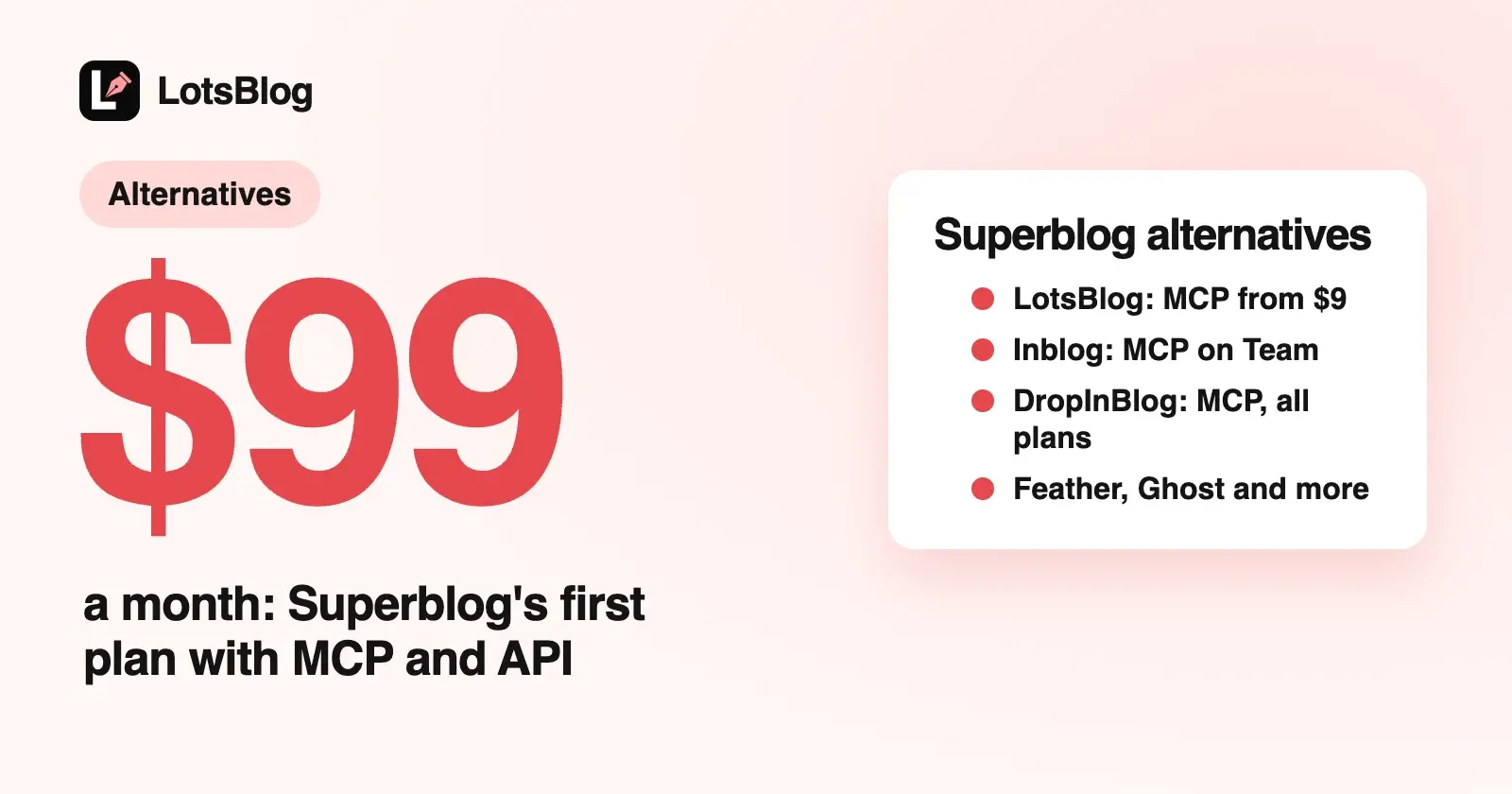
If you write with ChatGPT, Claude or Claude Code and want your agent to run a SaaS blog, LotsBlog is the Superblog alternative to try first: $9 per blog, with the MCP server and REST API on every plan and no page-view or post limits. Superblog's MCP and API start on Super, at $99 a month for one blog.
Below are the alternatives that fit a hosted company blog your agent can run: LotsBlog, Inblog, Feather, DropInBlog, WordPress.com, Webflow, Ghost(Pro) and Hashnode. I compared them on six things: which plan unlocks agent access, the price per blog, yourdomain.com/blog, page-view or post limits, the custom domain and team seats. Everything about each vendor comes from its own pages, checked on 17 October 2026, with links at the end.
Superblog alternatives at a glance
| Agent access (MCP or API) and the plan it needs | Price per blog, entry | yourdomain.com/blog | Page-view or post limits | Custom domain | Team | |
|---|---|---|---|---|---|---|
| LotsBlog | MCP server and REST API on every plan and pay as you go | $9 a month, or $24 for 3 blogs | Every plan, one rewrite on your site | None | Every blog | Unlimited authors |
| Superblog (for reference) | Super ($99) and Business ($199), not Pro; Agency Super ($999) on agency plans | $49 a month (Pro), one blog per subscription | Every plan | Under 100,000 page views a month; 1,000 to 25,000 posts | Every plan | 5, 10 or 25 members |
| Inblog | MCP, REST API and CLI on Team, not Free | Team from $39 a month, rising with page views | Team plan | Price tier set by each blog's page views | Team plan | Team members on Team |
| Feather | REST API and MCP with an API key; no plan gate listed | From $39 a month ($33 billed yearly), unlimited blog sites | Yes, documented in its help center | Plans sized by page views, from 10,000 a month | Every plan | Authors in your Notion workspace |
| DropInBlog | MCP server, SDKs and APIs on every plan | Team $199 a month, or $159 billed yearly | Yes, it embeds in your own site | Unlimited posts | Your own site | 5 users, 15 authors on Team |
| WordPress.com | MCP server on all paid plans (free sites for their first 30 days) | Personal $9 a month, or $4 billed yearly | Not a separate blog product | Unlimited posts and visitors | Any paid plan | Unlimited users |
| Webflow | MCP server listed from the free plan; a blog needs the CMS | Premium $25 a month billed yearly (adds the CMS) | Inside your Webflow site | Bandwidth by plan (Premium from 50 GB) | From Basic | 1 full seat on the free Workspace plan; more on paid Workspace plans |
| Ghost(Pro) | Admin API on Publisher and above, not Starter; MCP for its docs only | Starter $18 a month billed yearly | $50 a month add-on on Business, with your own reverse proxy | Plans sized by members | Every plan | 1, 3 or 15 staff users |
| Hashnode | MCP server and GraphQL API on Pro | Pro $5 a month per seat, or $50 a year | Through headless mode and your own frontend | Unlimited articles | Pro | Billed per seat |
Why people look for a Superblog alternative
Superblog is a well-built hosted blog with "Auto SEO" and "Auto GEO" on every plan, subdirectory hosting and a broad MCP server. Its own pricing page shows where the lines fall when an agent runs the blog:
- Agent access starts at $99. Checked on 17 October 2026, the pricing page marks MCP integration and API access as not included on Pro ($49 a month) and included on Super ($99) and Business ($199). The MCP docs agree: the blog must be on the Super plan. On agency plans, only Agency Super at $999 a month includes self-serve REST API and MCP access.
- One blog per subscription. Its pricing FAQ says one subscription creates one superblog, and more blogs need more subscriptions or an agency plan.
- Plans are sized by traffic and posts. Pro, Super and Business are each for under 100,000 page views a month, with under 1,000, 10,000 or 25,000 posts. Its FAQ says nothing is capped or charged up to 20% over, and that it will get in touch about a bigger plan if you go over in two months out of six.
If none of that matters to you, Superblog may already be the right home (more at the end). If it does, here are the options.
1. LotsBlog: a Superblog alternative built for your AI agent
LotsBlog doesn't write your articles. Your agent does, in ChatGPT, Claude or Claude Code, and LotsBlog stores the drafts, images and topics, schedules, publishes, hosts and reports. Drafts never publish until you say so. A private Markdown guide holds your product facts, voice and rules, and your agent reads it at the start of every session.
- Agent access on every plan. The MCP server is
https://api.lots.blog/mcp, and a REST API with 30 endpoints covers the same operations for scripts, CI or your own app. Both come with every plan and with pay as you go, from the first blog. - Priced per blog, not per traffic. $9 per blog a month with pay as you go, or $24 for 3 blogs, $69 for 10 and $159 for 30 (yearly is 10 months' price). Pro and Business also include LotsNotes Pro. Posts, page views and authors are unlimited, so a launch post that takes off doesn't change your bill.
yourdomain.com/blogor a custom domain on every blog. Connectblog.yourdomain.comwith one CNAME record, or put the blog atyourdomain.com/blogwith one rewrite rule on your site: blog settings give copy-ready rules for Cloudflare Workers, Vercel, Next.js, Netlify and Nginx. Your agent starts either withconnect_domainand verifies it withcheck_domain. The steps are in How to host your blog at yourdomain.com/blog.- SEO files built in: canonical URLs, a sitemap, RSS,
llms.txt, a Markdown copy of every post, and article, breadcrumb and FAQ schema. - Team collaboration on every plan, with unlimited authors.
- A free start. New accounts get 10,000 free credits, valid 90 days, with no card. That runs one blog for a month with every feature.
Here's what an agent-ready setup costs per month on each, at list prices:
| Blogs | LotsBlog | Superblog, cheapest plan with MCP and API |
|---|---|---|
| 1 | $9 (pay as you go) | $99 (Super) |
| 3 | $24 (Starter) | $297 (three Super subscriptions) |
| 10 | $69 (Pro) | $990 (ten Super subscriptions) or $999 (Agency Super, up to 100 blogs) |
Choose LotsBlog if your agent writes the blog, you want MCP and the REST API without picking a higher plan, and you may add blogs for more products later. I put the two side by side, plan by plan, in LotsBlog vs Superblog, and the plans are on lots.blog/pricing.
2. Inblog: a company blog with lead forms
Inblog is a hosted company blog with lead-capture forms and Zapier, Google Search Console and Google Analytics integrations, custom JSON-LD and team roles. The Free plan has no custom domain, no subdomain and no subdirectory support. The Team plan adds all three, plus the API, CLI and content migration.
Team pricing is per blog and set by each blog's page views over the last 30 days: $39 a month up to 10,000, $79 up to 100,000, $149 up to 200,000 and $299 above that, or $2,990 a year for unlimited traffic. Its MCP connector at inblog.ai/api/mcp signs in with OAuth and works from Claude, ChatGPT and Codex, and its page says it requires the Team plan or higher. There's a 14-day trial with no card.
Choose Inblog if you want lead forms and Search Console data inside the blog. More in LotsBlog vs Inblog.
3. Feather: a blog you write in Notion
Feather turns Notion pages into a blog: Notion databases are the CMS, and posts appear on your site from there. Every plan includes unlimited blog sites, unlimited custom domains, analytics, email collection, comments and programmatic SEO. Plans are sized by page views: $39 a month for up to 10,000, $79 for 100,000, $149 for 200,000 and $299 for 500,000, with two months free on yearly billing ($33, $66, $124 and $249 a month). Its help center has guides for running the blog at example.com/blog, including a Cloudflare Worker route. Feather says it won't charge extra or restrict the blog if you go over, and will contact you about upgrading.
For agents, Feather has a REST API at api.feather.so and an MCP server at mcp.feather.so that use scoped API keys. The MCP docs list tools to create a blog, create a post in the blog's Notion content database, list blogs and list actions, and the changelog adds deleting a blog. There's a 7-day trial.
Choose Feather if your team already writes in Notion and wants several blogs on one account.
4. DropInBlog: a blog inside the site you already have
DropInBlog doesn't host a separate site. You paste a snippet or install an app on your site builder, or use its SDKs and APIs, and the blog renders inside your own website at the path you choose, with your header and footer. Team is $199 a month, or $159 a month billed yearly, with unlimited posts, 5 users and 15 authors; Business is $499, or $399 billed yearly, with 10 users and unlimited authors.
Every plan lists "SDKs, MCP server, Rendered API & Raw API", so an agent can work in it from the Team plan. There's a 7-day trial.
Choose DropInBlog if your marketing site runs on Shopify, Webflow, a site builder or your own stack, and the blog must render inside it.
5. WordPress.com: the WordPress ecosystem, managed
WordPress.com gives you WordPress themes and plugins on managed hosting, with unlimited pages, posts, users and visitors on every paid plan. Personal is $9 a month billed monthly, or $48 a year ($4 a month); Premium is $18 monthly or $96 a year; Business is $40 monthly or $300 a year. A custom domain needs a paid plan.
Its MCP server works on all paid plans, and on a free site for the first 30 days after it's created, from Claude, ChatGPT, Codex, Cursor and other clients, with OAuth sign-in. Because the blog is part of a WordPress site, /blog means building the whole site in WordPress.
Choose WordPress.com if you want plugins and the WordPress ecosystem. I covered the options around it in WordPress.com alternatives for people who use an AI agent.
6. Webflow: a blog inside your Webflow site
If your marketing site is built in Webflow, the blog can be a CMS collection in the same project, so it sits at /blog on the same site. Basic, $15 a month billed yearly, adds a custom domain but no CMS; Premium, $25 a month billed yearly, adds the Webflow CMS a blog needs.
Webflow's MCP server connects Claude Code, Claude Desktop, ChatGPT, Codex and Cursor and can manage collections, pages, assets and other site data. The pricing page lists it on the free Starter plan and on Basic.
Choose Webflow if your site is already designed there and you want the blog in the same project.
7. Ghost(Pro): when the blog is also a newsletter
Ghost is built for publications: email newsletters, free and paid memberships, and themes. Starter is $18 a month, Publisher $29 and Business $199, each billed yearly, with plans sized by members. Every plan supports a custom domain through a CNAME record, with 1, 3 or 15 staff users.
For agents, Ghost's Admin API creates, edits and schedules posts, and the pricing page lists it on Publisher and above, not Starter. Ghost's MCP server covers its developer docs, not your site. Running Ghost at example.com/blog is a $50 a month add-on on Business only, with your own reverse proxy.
Choose Ghost if your blog is also your newsletter or a paid membership. More in Ghost alternatives for people who use an AI agent.
8. Hashnode: a developer blog, or a headless CMS
Hashnode is a blogging platform for developers with a community feed. Pro is $5 a month per seat, or $50 a year, and adds a custom domain, the GraphQL API, headless mode for your own frontend, webhooks, scheduled publishing and branding removal.
Its MCP server at mcp.hashnode.com/mcp lets Claude, ChatGPT and Cursor publish, draft, edit, search and delete posts after you log in with Hashnode. Hashnode's announcement says connecting is free and the publication needs Pro. To put the blog at /blog, you run Hashnode headless behind a frontend you build.
Choose Hashnode if you write for developers and want a community around the blog.
Stay on Superblog if...
Superblog does a lot well. It imports from WordPress, Ghost, Webflow, Wix, Shopify, Drupal, Blogger, Medium, Framer, CSV and more. On Super and above, its MCP server covers posts and pages, categories, FAQs, redirects, menus, translations, comments, leads, team and analytics, with OAuth sign-in or an API key. Super adds multilingual SEO, lead webhooks and Zapier; Business adds AI translation, keyword research and 199 AI credits a month. White-label agency plans start at $299 a month for 20 client blogs.
If you run one blog, want its import tools and Auto SEO, and are happy on Super or above for agent access, stay.
How to move from Superblog with your agent
LotsBlog has no one-click import. Your agent moves the posts: it reads them from Superblog (its MCP on Super and above, or your export) and saves each one as a LotsBlog draft for you to review. Give it this:
Read https://lots.blog/skill.md and connect LotsBlog. Create a blog called "Acme Blog". Then take each post from my Superblog export and save it as a LotsBlog draft with create_blog_post, keeping the title, slug and meta description, and upload the cover images with create_image_upload. Don't publish anything. When you're done, call connect_domain with the path /blog and tell me the rewrite rule to add to my site.
Your agent shows you what it saved, you read the drafts, and nothing goes live until you say so. When the rewrite is in place, check_domain confirms the blog is live at yourdomain.com/blog.
Which one should you choose?
- Your agent writes the blog and you want MCP and the REST API on every plan, priced per blog: LotsBlog.
- You want lead forms and Search Console inside the blog: Inblog.
- Your team writes in Notion: Feather.
- The blog must render inside your existing site: DropInBlog, or Webflow's CMS if the site is built there.
- You want WordPress plugins: WordPress.com.
- The blog is also a newsletter or membership: Ghost(Pro).
- You write for developers: Hashnode.
- You want Superblog's imports and Auto SEO on one blog: stay on Superblog.
For agent access across every platform, see The Best Blogging Platforms With MCP Support, and for a startup's blog on its own domain, The Best Blogging Platforms for SaaS Startups. All my comparisons are on lots.blog/compare.
Start your blog with your agent
Give your agent this and let it set itself up:
Read https://lots.blog/skill.md and help me connect LotsBlog for you.
New accounts start with 10,000 free credits, valid 90 days, no card. See pricing.
Common questions
What is the best Superblog alternative?
It depends on who writes the blog. If your AI agent writes it, LotsBlog gives you the MCP server and REST API on every plan from $9 per blog, with no page-view or post limits and yourdomain.com/blog on every blog. For lead forms, Inblog; for Notion, Feather; for a blog inside your existing site, DropInBlog.
Which Superblog plan includes MCP and API access?
Super ($99 a month) and Business ($199). Checked on 17 October 2026, Superblog's pricing page marks MCP integration and API access as not included on Pro ($49), and its MCP docs say the blog must be on the Super plan. On agency plans, only Agency Super ($999 a month) includes them.
Which Superblog alternatives have an MCP server?
LotsBlog (every plan), Inblog (Team), Feather (with an API key), DropInBlog (every plan), WordPress.com (paid plans), Webflow and Hashnode (Pro) document an MCP server that creates or edits posts. Ghost's MCP server covers its developer docs; publishing to Ghost goes through its Admin API, from Publisher up.
Which alternatives support yourdomain.com/blog?
LotsBlog on every plan, through one rewrite on your site. Inblog on Team, Feather through its help-center guides, and DropInBlog because it renders inside your site. Webflow puts the blog inside a Webflow site, Hashnode needs headless mode and your own frontend, and Ghost(Pro) offers it as a $50 a month add-on on Business.
Which alternatives don't charge by page views?
LotsBlog charges per blog, with unlimited posts, page views and authors. WordPress.com lists unlimited visitors on its plans, and DropInBlog prices by users and authors. Inblog and Feather price by page views, Superblog's plans are for under 100,000 page views a month, and Ghost(Pro) is sized by members.
Can I move my Superblog posts to LotsBlog?
Yes, through your agent. LotsBlog has no one-click import, but your agent can read your posts from Superblog or an export and save each one as a LotsBlog draft, which you review before anything is published.
Checked on 17 October 2026. Superblog from its pricing (plan cards and FAQ), agency pricing and MCP docs. Inblog from its pricing, pricing docs and MCP page. Feather from its pricing, help center and developer docs. DropInBlog from its pricing. WordPress.com from its pricing and MCP docs. Webflow from its pricing and MCP docs. Ghost from ghost.org/pricing. Hashnode from hashnode.com/pro and its MCP server post. LotsBlog from lots.blog/pricing and api.lots.blog/docs.md. Prices and features change; check each vendor's page for the latest.