 LotsBlog
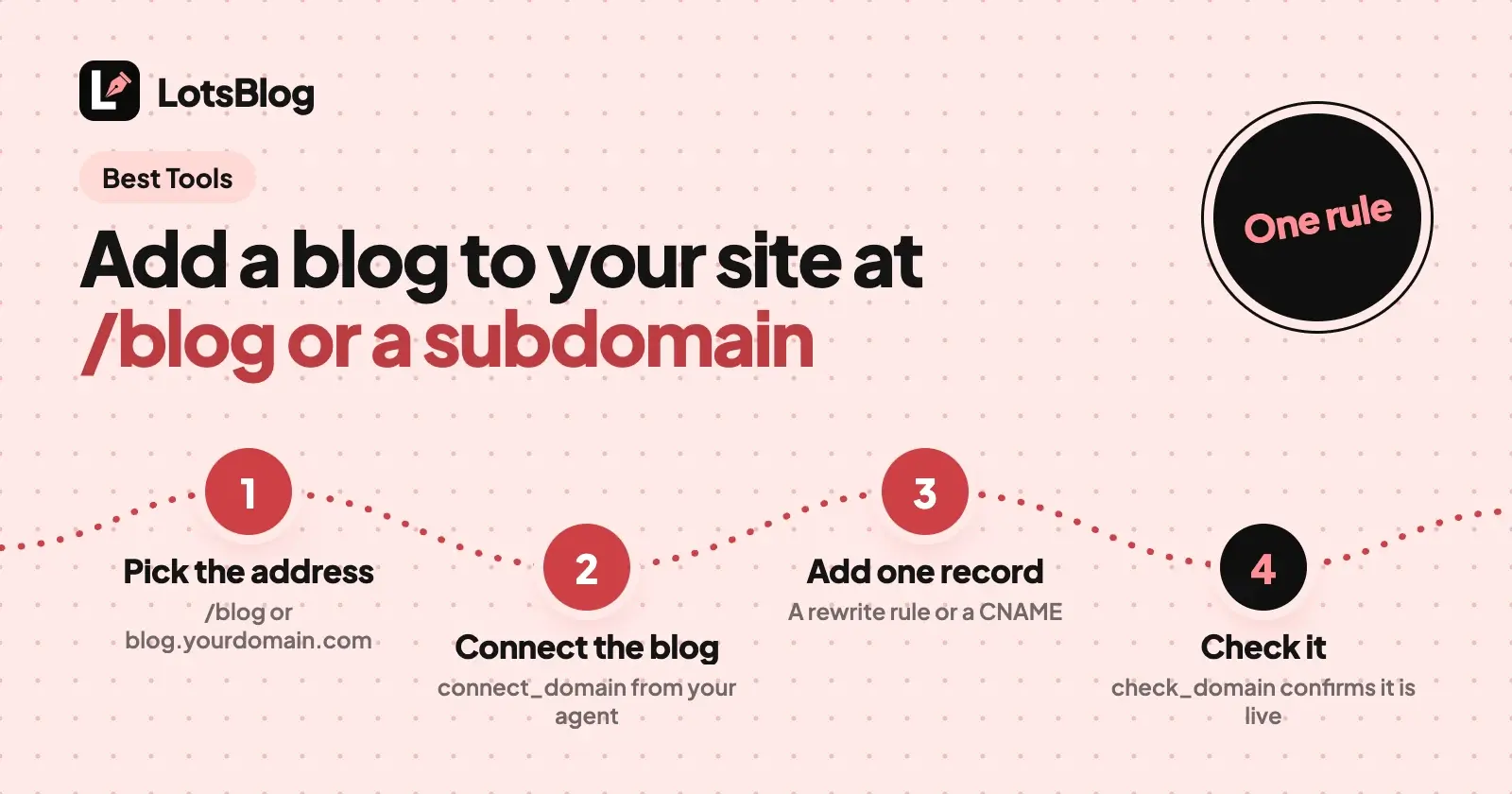
To add a blog to a website you already have, choose where it lives: a folder on your own domain (yourdomain.com/blog), a subdomain (blog.yourdomain.com) or an embed inside one of your pages. If your site builder has a built-in blog, use that. If you want a separate blog that your AI agent writes and publishes, LotsBlog gives you /blog with one rewrite rule on your site or a subdomain with one DNS record, from $9 per blog a month. It has no embed snippet, and below I say what to do instead.
I built LotsBlog, and our own product blogs, lotscrm.com/blog and lots.link/blog, run on it at a path. Everything about other tools comes from their own pages, checked on 31 October 2026, with links at the end.
The three places a blog can live, at a glance
/blog folder | Subdomain | Embed | |
|---|---|---|---|
| Address | yourdomain.com/blog | blog.yourdomain.com | A page on your site that loads the blog from another service |
| What you add | One rewrite rule where your site's requests are handled | One CNAME record at your DNS provider | A script snippet or a frame in a page |
| Your main site changes | Yes, one rule that has to stay in place | No | Yes, the snippet |
| Who runs the blog pages | The blog platform, shown under your address | The blog platform, on its own address | A third-party script inside your page |
| LotsBlog | Yes, every blog | Yes, every blog | No embed snippet |
First check: does your site builder already have a blog?
If your site is built in a tool with its own blog, adding a second system is extra work. These are the steps from each vendor's own help pages:
- Shopify: in your admin, go to Content > Blog posts, choose Manage blogs, then Add blog. Every store has a default blog called News. Shopify's page does not state a plan requirement.
- Wix: in the Editor, click Add Apps, search for Wix Blog and choose Add to Site. It adds a Blog Feed page and a Blog Post page. The page does not state a plan requirement.
- Squarespace: open the Pages panel, click the plus icon and choose Blog (on version 7.1 it is under Showcase), then pick a layout and give the page a title. You can have more than one blog page. The page does not state a plan requirement.
- WordPress: in Settings > Reading choose "A static page", then pick the page that will hold your posts as the Posts page. The Home page and Posts page cannot be the same page.
- Webflow: its CMS holds blogs as Collections. The Basic plan, $15 a month billed yearly, is for sites that don't need a CMS; Premium, from $25 a month billed yearly, adds the CMS.
If one of these fits, stop here. The rest is for when the blog should be its own system: you want your AI agent to run it, you want it separate from your site's deploys, or your builder's blog isn't enough.
Option 1: put the blog at yourdomain.com/blog
This keeps readers on one hostname. You connect your blog to your domain with the path /blog, then add one rewrite rule on your own site that forwards /blog to the blog.
Where the rule goes: LotsBlog gives copy-ready rules for Cloudflare Workers, Vercel, Next.js, Netlify and Nginx. The rule runs where your site's requests are handled, so you need access to one of those. If your site builder gives you no such place, use a subdomain instead.
From your agent (with the LotsBlog MCP server connected):
Use LotsBlog. Connect my "Acme" blog to acme.com at the path /blog. Show me the rewrite rule for Vercel, then wait while I add it. When I say done, check it.
Your agent calls connect_domain with your hostname and path, and gets the rules and a private proxy secret that your site reads from an environment variable named LOTSBLOG_PROXY_SECRET. You add the rule and deploy. Then it calls check_domain, which fetches a check address through your rewrite and confirms it reached the right blog.
From the dashboard:
- Open your blog, then Settings, then Custom Domain.
- Under "Host at a path on your site", enter your site (
acme.com) and the path (/blog), then select Connect. - Copy the rule for your platform and the proxy secret into your site, and deploy.
- Select Check again. The badge changes from "Waiting for your rewrite" to "Live".
Add the Sitemap line the setup shows to your site's root robots.txt: search engines read robots.txt only at the root of a domain. Once the check passes, links, canonical URLs, the sitemap, RSS and llms.txt use the /blog address, and the blog's old address redirects there with a 301.
The path can use lowercase letters, numbers, - and _, up to three segments, and can't start with /api or /_next. Only the blog's owner can connect it, and the blog needs an active plan or credits. Every rule, host by host, is in How to Host Your Blog at yourdomain.com/blog With LotsBlog.
Other tools: Ghost(Pro) runs a site on a subdirectory only with your own reverse proxy, a $50 a month add-on available on its Business plan, which is $199 a month billed yearly (checked 31 October 2026). In the WordPress and builder cases above, the blog is already part of the site, so there is no rule to add.
Option 2: put the blog on a subdomain
A subdomain is the simplest separate setup, and your site's code stays untouched.
From your agent:
Connect blog.acme.com to my "Acme" LotsBlog blog and tell me exactly which DNS record to add.
Your agent calls connect_domain without a path and gets the exact DNS-only CNAME record, plus optional TXT records as a fallback if verification stays pending. You add the record wherever your domain's DNS is managed, and check_domain reports the domain and HTTPS certificate status. LotsBlog issues and renews the certificate, and you never share your registrar login.
From the dashboard: open your blog, then Settings, then Custom Domain, enter blog.acme.com, copy the records shown and add them at your DNS provider. The status turns active once the domain and its certificate are verified.
Once it is verified, canonical URLs, the sitemap and RSS use your domain, and the old lotsblog.com address redirects there with a 301. Ghost(Pro) works the same way: every plan supports a custom domain through a CNAME record (checked 31 October 2026).
Option 3: embed the blog inside your page
An embed means a page on your site loads the blog from another service. DropInBlog is built for that: its pricing page lists "Paste the Source Code to Your Website" as the integration step, where the code is a script snippet, and says the blog "inherits your CSS", so it takes on your site's styling. Its plans, checked 31 October 2026: Solo $99 a month or $79 a month billed yearly for 1 user and 1 author, Team $199 or $159 billed yearly for 5 users and 15 authors, and Business $499 or $399 billed yearly. Every plan lists "SDKs, MCP server, Rendered API & Raw API". Its pricing page does not state a subdirectory path, so check the path you want with DropInBlog before you buy.
LotsBlog does not have an embed snippet or a frame widget. With LotsBlog the full blog is served under your address, with its own metadata, sitemap and schema. If you want some of the blog inside your own pages, two things work today:
- Show your latest posts on your site. Every published blog has
/rss.xmland a Markdown copy of each article at/<slug>.md, so your own page can list recent posts and link to them. - Render posts from your own code. The REST API reads posts with an API key. Keep the key on your server, never in a page's code. It is a custom build and the full blog still lives at its own address.
Which one should you pick?
- Your builder has a blog and you're happy with it: use it.
- You want one hostname and can add a rule where your site is served:
/blog. - You want the blog separate and your site's code left alone: a subdomain.
- The blog must render inside your existing pages and you'll rely on a third-party script: an embed.
Both /blog and a subdomain get the same canonical URLs, sitemap, RSS, schema and llms.txt from LotsBlog, so pick by what your team can maintain. A /blog setup keeps the blog's links and content on your main domain, and the rewrite has to stay in place for the blog to load. A subdomain works too. If you start on a subdomain, you can add the /blog path later: the old address then redirects to the new one. You can also remove the path setup and go back, and remove the rewrite from your site afterwards.
What it costs on LotsBlog
LotsBlog is priced per blog, not per post or page view: $9 per blog a month with pay as you go, or plans of $24 a month for 3 blogs, $69 for 10 and $159 for 30. A custom domain and /blog hosting are included with every funded blog, with no add-on fee. New accounts get free credits when you sign up, no card, enough to run one blog for about a month. Details: LotsBlog pricing and LotsBlog pricing explained.
If you run client sites
You can set the blog up on a client's own domain, at /blog or on a subdomain, and the client's readers only ever see the client's address. When the blog is ready you can hand it over: the owner enters the new owner's email on the Team tab, and the new owner sees what moves and accepts. Posts keep the same addresses, and a blog connected at a /blog path keeps working after the move.
If your website is on LotsBusiness
LotsBusiness is a different product: a website for a local or service business. On a paid LotsBusiness website you can add a blog at yourbusiness.com/blog in Website > Settings > Blog: choose Create blog or Connect blog, the blog wears your website's header and footer, and a Blog link is added to your menu the next time you publish. The blog is billed on LotsBlog's plans, and LotsBusiness adds nothing. That applies to LotsBusiness websites only: for a site built anywhere else, use the options above.
Add a blog from your AI agent
Give your agent this and let it set itself up:
Read https://lots.blog/skill.md and help me connect LotsBlog. Then connect my blog to my site at /blog and show me the rewrite rule.
If you're new to connecting an agent, start with How to Publish Blog Posts From Claude Code. Before you publish, check that AI search crawlers can reach the blog: How to let AI crawlers read your blog. If you're comparing platforms for a company blog, see The Best Blogging Platforms for SaaS Startups.
Common questions
Can I add a blog to my website without rebuilding it?
Yes. A subdomain needs one DNS record and no change to your site. A /blog folder needs one rewrite rule where your site's requests are handled. If your site builder has a blog, adding it from the builder is the shortest route.
Should my blog be at /blog or on a subdomain?
Both work. /blog keeps readers on one hostname and costs you one rewrite rule that has to stay in place. A subdomain keeps the blog separate from your site's deploys and needs one CNAME record. LotsBlog supports both on every blog and gives both the same canonical URLs, sitemap, RSS and schema.
Can I add a blog to a Wix, Squarespace or Shopify site?
Each has a built-in blog: Wix Blog from Add Apps, a blog page in Squarespace's Pages panel, and Content > Blog posts > Manage blogs in Shopify. To run a separate blog instead, put it on a subdomain and add the CNAME record wherever your domain's DNS is managed.
Does LotsBlog offer an embed or iframe?
No. LotsBlog serves a full blog at a subdomain, a custom domain or a /blog path on your site. To show posts inside your own pages, list them from /rss.xml, or render them from your own server with the REST API.
Does /blog hosting or a custom domain cost extra on LotsBlog?
No. Both are included with every funded blog. LotsBlog is priced per blog: $9 per blog a month with pay as you go, or plans of $24, $69 and $159 a month for 3, 10 or 30 blogs.
Can my AI agent set this up?
It can do the LotsBlog side: connect_domain starts the setup and returns the DNS record or the rewrite rule, and check_domain confirms it. You add the DNS record or the rule yourself, so nothing on your domain changes without you.
Checked on 31 October 2026. LotsBlog from lots.blog/pricing, api.lots.blog/docs.md, lots.blog/skill.md and its feature pages for subdirectory hosting and custom domains. LotsBusiness blog from lots.business/llms.txt. Shopify from Add a blog to your online store. Wix from Adding and setting up your blog. Squarespace from its blog page article. WordPress from the Reading Settings screen. Webflow from its pricing. Ghost from ghost.org/pricing. DropInBlog from its pricing and homepage.